STINTMON™Usage monitor – home page Get the app
Free · Windows + Android

Know your limits before you hit them.

Stintmon is a usage monitor for Claude Code. It reads the usage files Claude Code already keeps on your PC and turns them into live 5-hour and weekly meters: in your Windows tray, and on your Android phone.

Windows 10 or 11 · Android 14 or newer · Not available in the EU, EEA, UK or Switzerland yet.
What Windows may ask the first time you run it
No account to create No ads. No analytics in the app. Estimates, labelled as such
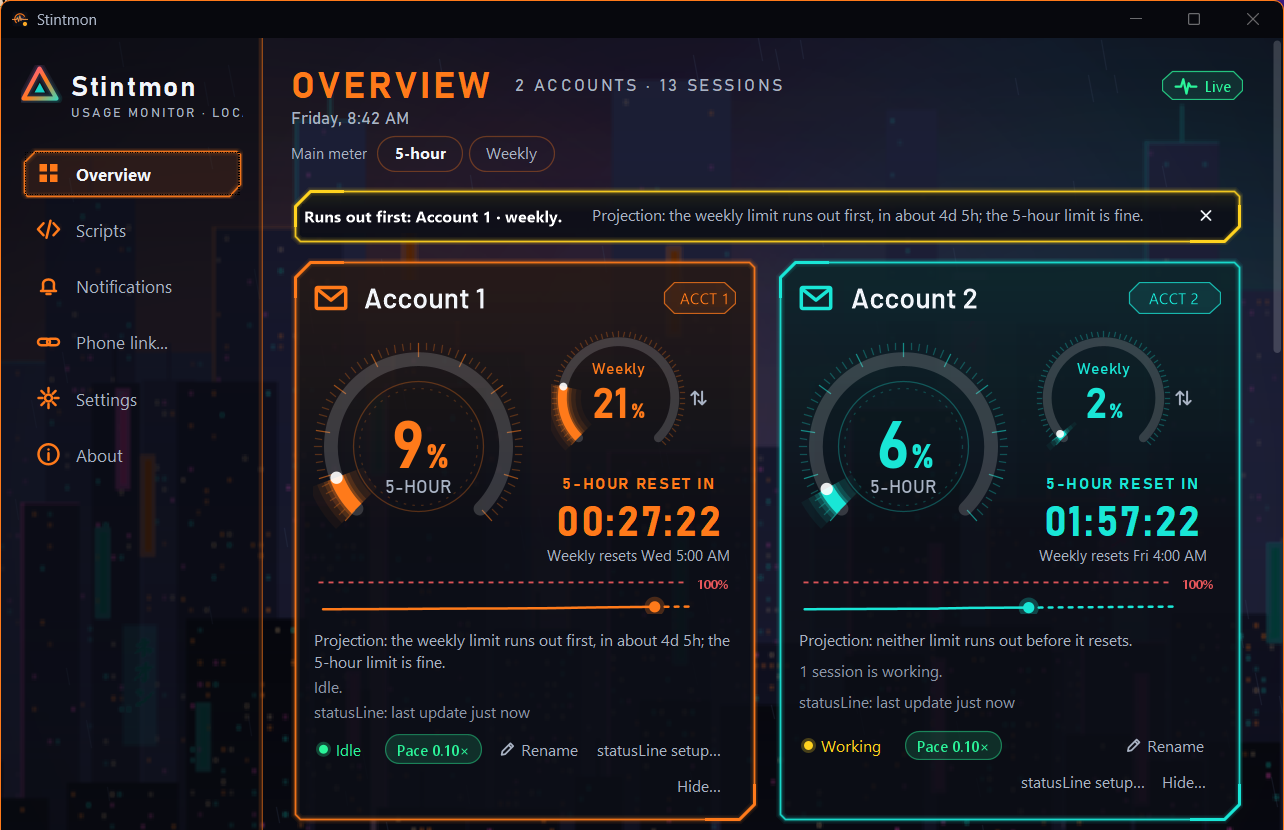
The Stintmon window on Windows: an Overview with two account cards, each with a 5-hour ring gauge, a weekly ring, a reset countdown and a projection line.
Real screenshot of the Windows app (account names replaced with “Account 1” and “Account 2”). The phone is an illustration with demo numbers.
2 metersper account: the 5-hour limit and the weekly limit, side by side.
5 secondsbetween refreshes on the PC, reading only what changed.
No sign-inNo account to create, and it never reads your login or your tokens.
No trackers in the appsNo ads, analytics or crash reports, and no third-party code in the apps.
What it does

One glance tells you where you stand.

Long Claude Code sessions run into a 5-hour limit and a weekly limit. Stintmon keeps both in view for every account you use, and tells you which one will bite first.

5-hour and weekly meters

A glowing ring for each limit on each account, with a countdown to the next reset. Add as many accounts as you use; each one gets its own colour.

Pace and projection

See if you are ahead of or behind an even burn, and when a limit would run out at this rate. A banner names whichever runs out first.

Sessions with status lights

Every open session gets a light: yellow while it works, green when idle, red when it is stuck or may be waiting for you.

Where the tokens went

A share for each kind of work: building code, testing, reading and research, planning and talk. For the 5-hour window, the week and today.

Tiles for other AI tools

Add up to four more tiles, for Grok, Gemini or anything else that can write a small usage file on your PC. You name them; Stintmon only reads the file.

The same meters on your phone

Link the Android app to your PC with a QR code. The link is end-to-end encrypted, and off until you turn it on.

How pairing works →

Reading the meters

Colour does the talking.

Each account keeps its own colour until it matters: a meter turns amber from 75% and red from 95%. The line under it shows the window so far, and where it is heading.

Account 1Acct 1
38%5-HOUR
61%WEEKLY
5-hour reset in
02:14:09
Weekly resets Wed 5:00 AM
100%

Projection: the weekly limit runs out first, in about 2d 4h; the 5-hour limit is fine.

WorkingPace 0.92×
Account 2Acct 2
12%5-HOUR
18%WEEKLY
5-hour reset in
04:02:51
Weekly resets Fri 4:00 AM
100%

Projection: neither limit runs out before it resets.

IdlePace 0.31×
42%5-HOUR

Plenty left

Below 75% the ring wears the account's own colour.

82%5-HOUR

Getting close

From 75% it turns amber, on the PC and on the phone.

97%5-HOUR

Nearly out

From 95% it turns red. You can be notified at 50, 75, 90 and 100%.

Illustration · demo numbers
Screenshots

The real thing, today.

Straight from the Windows app as it runs now, in its Neon City look. Personal names are covered; nothing else is touched.
Account card, close up. The 5-hour ring, the weekly ring, the countdown, and the line that shows the window so far.
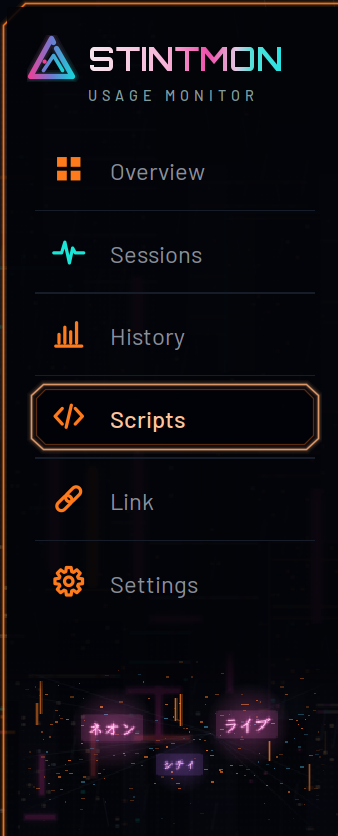
The app's sidebar: Overview, Sessions, History, Scripts, Link and Settings, over the drawn night city.
Sidebar. Six pages, one click each.
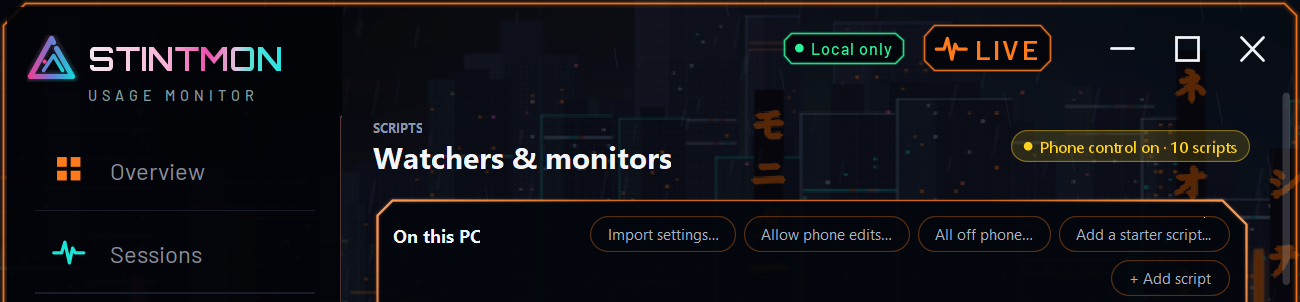
The top of the app window: the Stintmon wordmark, a Local only chip, the LIVE chip, and the head of the Scripts page.
Header and Scripts page. “Local only” says nothing is leaving this PC; LIVE says the numbers are fresh.
A colour per account. The second account is teal, the next ones pink, lime, violet and blue.
Illustration · demo numbers
On your phone

Step away from the desk. Keep the numbers.

The Android app links to your PC and shows the same meters. On your own Wi-Fi, over USB or Bluetooth, the two talk directly. Away from home, an optional relay carries sealed copies that it cannot read.

  • A home-screen widget that takes turns showing each account.
  • A Quick Settings tile and an ongoing notification, with numbers hidden on the lock screen unless you say otherwise.
  • A floating dial if you want one: two rings and a reset countdown, movable, strictly opt-in.
  • Paired by QR code, one use, ten minutes, confirmed on the PC.
Private by design

Your usage stays yours.

Stintmon is a monitor and nothing more. It works from files on your own computer, and it keeps what it learns there.

What it does

  • Reads Claude Code's session files on your PC, read-only, and keeps only token counts, times and model names from them.
  • Shows the usage figures Claude Code hands to its status line, if you turn on the optional helper.
  • Stores its settings and history in its own folder on your PC. One button deletes all of it.
  • Sends numbers to your phone only after you turn on the phone link, end-to-end encrypted.

What it never does

  • Read your login, your credential files or your sign-in tokens.
  • Scrape any website.
  • Keep what you wrote: it never stores your prompts.
  • Switch accounts for you, pool them, or work around a limit. It only watches.
  • Send anything anywhere unless you turn that on yourself.

A short summary, not the policy. The Privacy Policy has the full text.

Questions, a bug, or an idea for the app? Message us on the Support page →

Watch the meter, not the clock.

Free for Windows. The Android app is on its way to Google Play.

Windows 10 or 11 · Android 14 or newer · Not available in the EU, EEA, UK or Switzerland yet. · What Windows may ask on first run